
Every meeting, written up. None of it leaves your iPhone.
Sottora records, transcribes and writes the notes on your iPhone: who said what, what was decided, and who is doing what by when.
Record
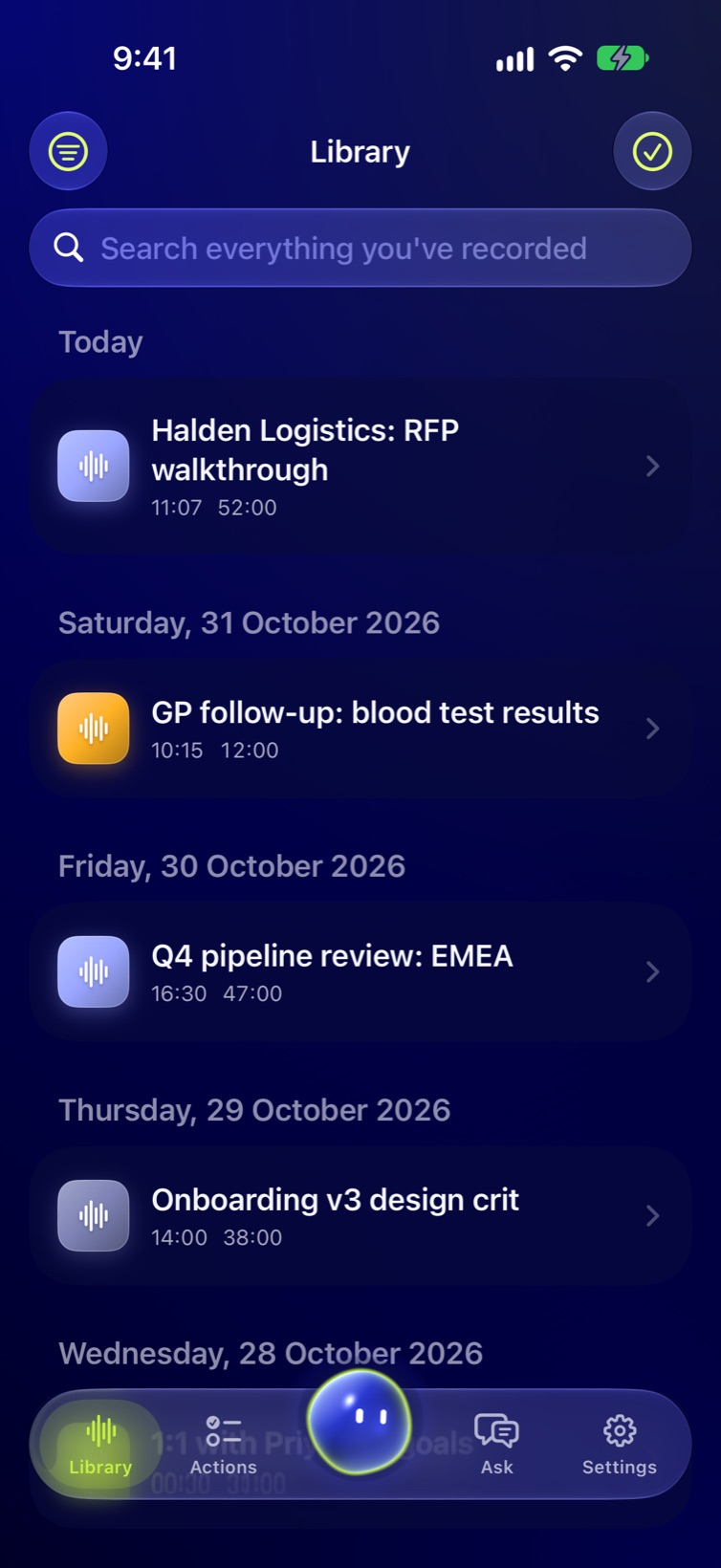
Press record. Put the phone down.
Sottora keeps going through phone calls, Siri and a locked screen, for three to five hours if the meeting runs that long. If the app is closed mid-meeting, what was recorded is kept.
- Live transcriptRead along while people talk.
- BookmarksMark a moment. It shows in the player, the transcript and the notes.
- Dark screenThe display goes black so nobody is distracted and the battery lasts.
- Start it any waySiri, Shortcuts, the Control Center button or the Lock Screen.
- Started by accident?Stop within 10 seconds and Sottora asks whether to keep it.
- Live ActivityThe timer stays on the Lock Screen and in the Dynamic Island.
Ran on your iPhone
Sidekick
A good question, right when you need it.
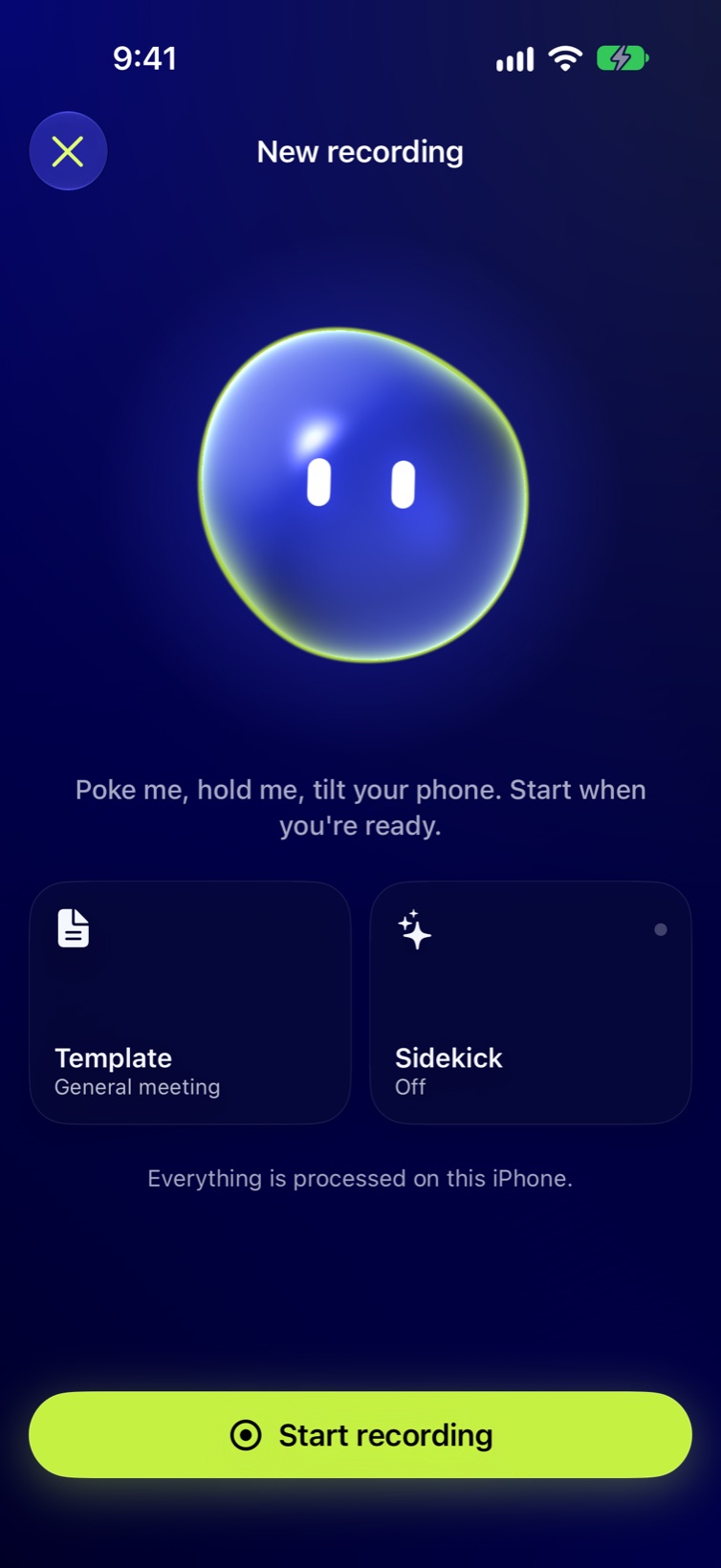
Turn on Sidekick and it listens along with you. Every minute or two it suggests one question worth asking next, from what was just said, your agenda and the documents you added. If nothing would help, it stays quiet. When someone asks you something, that card goes to the top.
- Your agenda, coveredSee which items have come up and which haven't.
- Your documentsAdd an RFP or a brief. It's read on the iPhone.
- Whispered in your earCards read quietly into AirPods, never the speaker.
- Quiet, Balanced or AggressiveChoose how often it speaks up.
Ran on your iPhone
Questions to ask
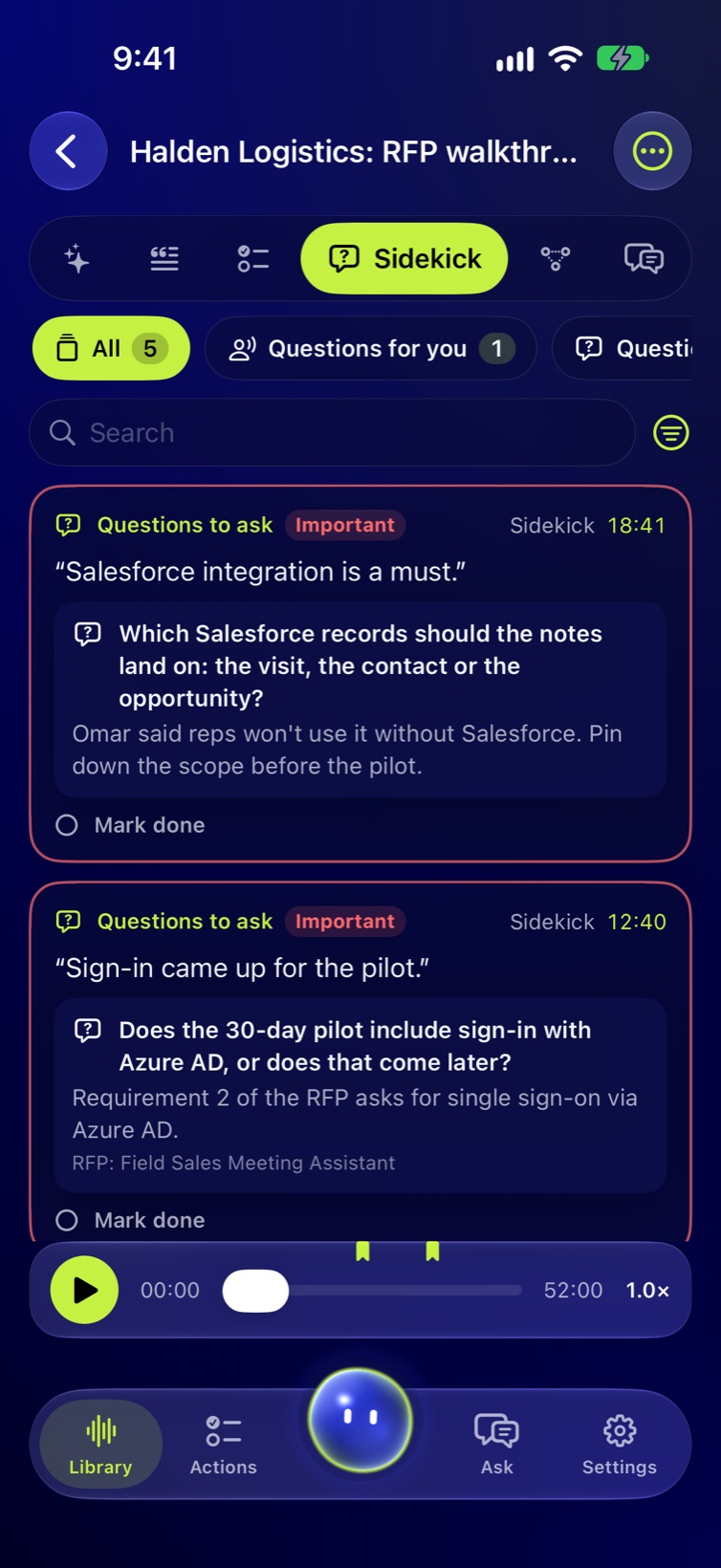
Does the 30-day pilot include sign-in with Azure AD, or does that come later?
Who said what
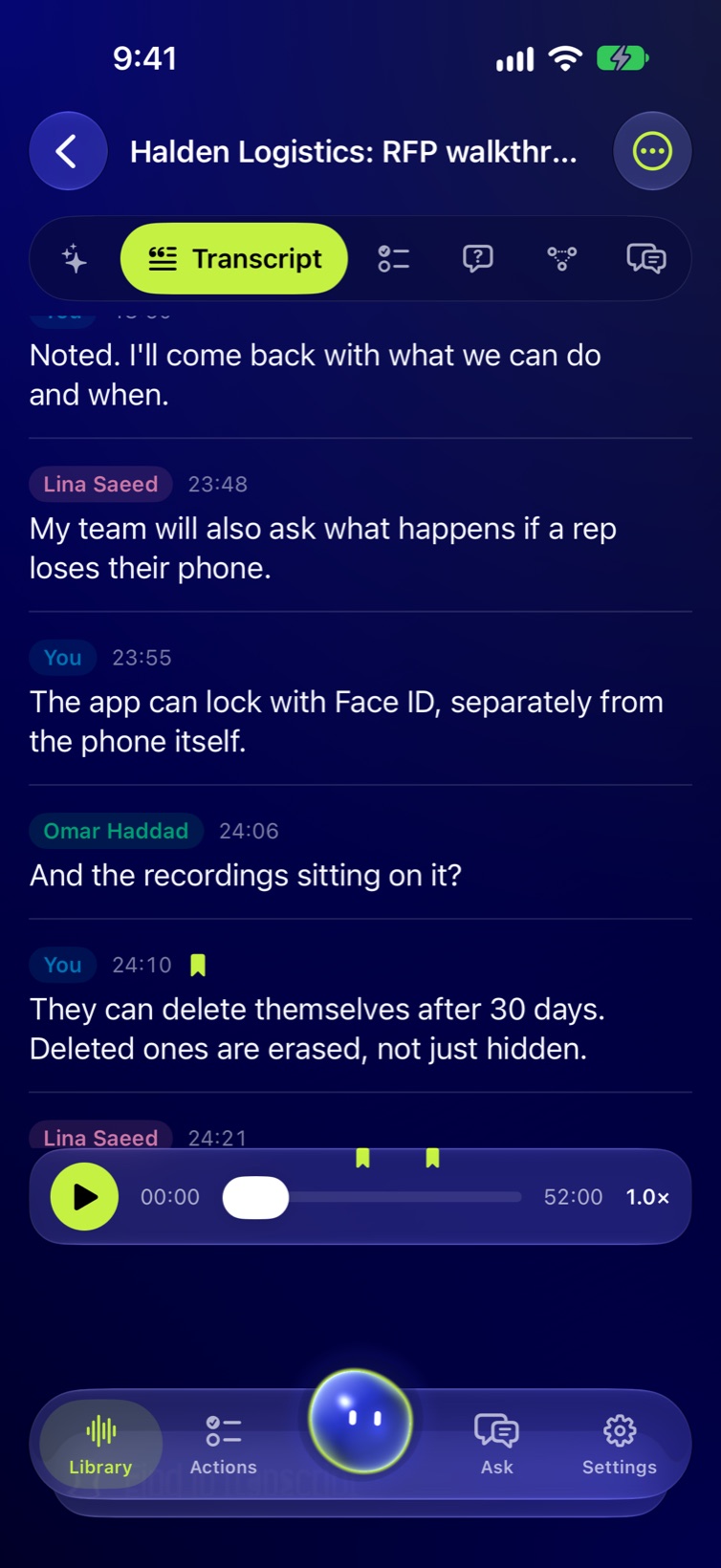
Every line has a name. Yours says “You”.
Sottora tells up to eight voices apart, and more with Large meetings turned on. Read three short sentences once to set up Voice Print, and you're labelled “You” in every recording after. Name a colleague once and Sottora can recognise their voice next time.
- Voice PrintBiometric data, so it needs your consent and stays on this iPhone.
- PeopleThe voices Sottora has learned, named by you.
- DictionaryAdd names and terms, and they're spelled right the first time.
- LanguagesEnglish and 24 European languages, plus Arabic and more through Apple's speech recognition.
Ran on your iPhone
Notes
The notes you'd have written if you weren't talking.
When you stop, Sottora writes a summary, the decisions, and the action items with who and by when. Only real follow-up work counts as an action item, so a meeting keeps at most eight (one more for every three minutes past 24). The moments you bookmarked get their own section.
- TemplatesPick one, or make your own: name it, say what to focus on, add sections.
- RegenerateRewrite any meeting's notes with a different template.
- Tags, stars and searchFind any meeting in seconds.
- Listen insteadHave the summary read aloud in a natural voice.
Written by Apple Intelligence on your iPhone1
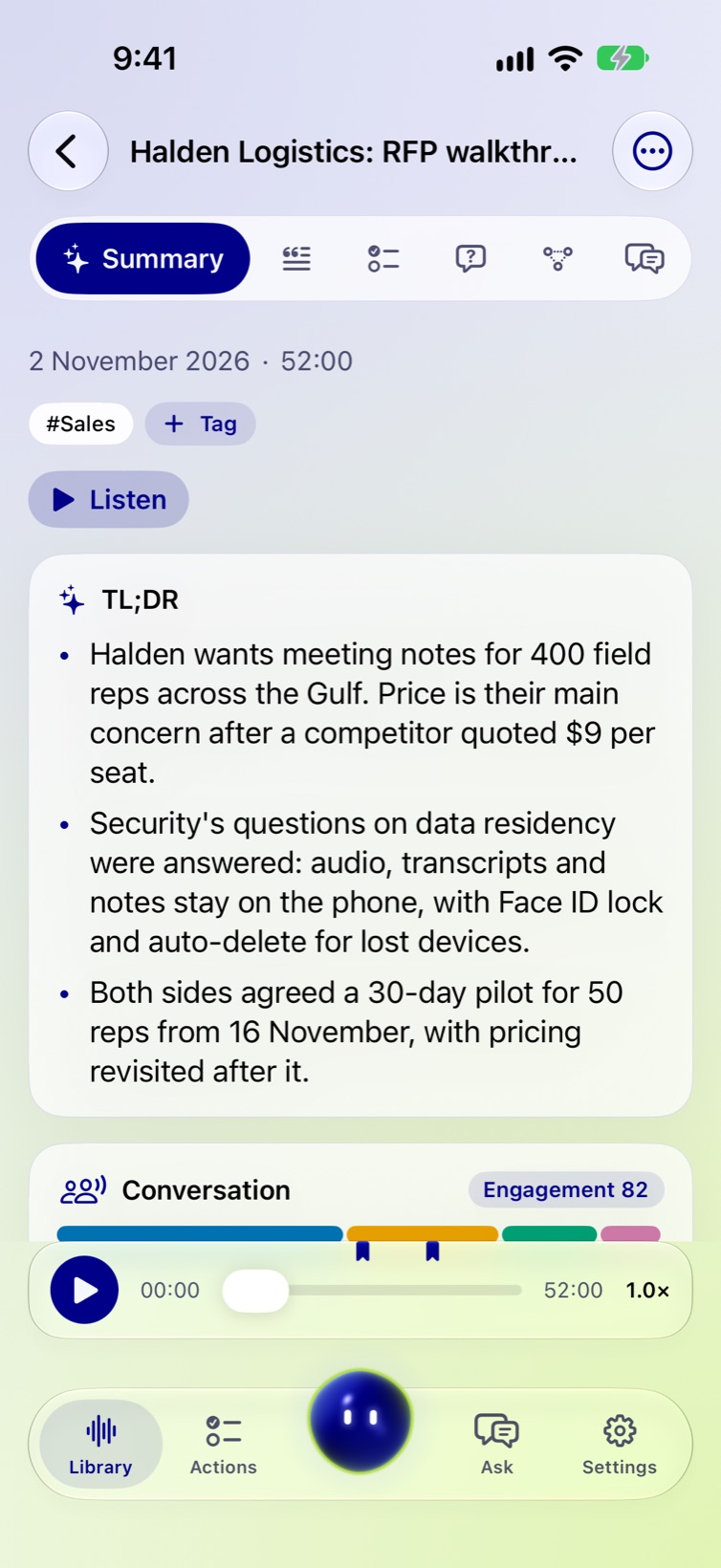
Mind map
The whole meeting on one screen.
Sottora groups the meeting into themes, wherever in the hour they came up. Decisions, actions, risks and open questions sit under the theme they belong to. Tap a point to read it in full and play that moment.
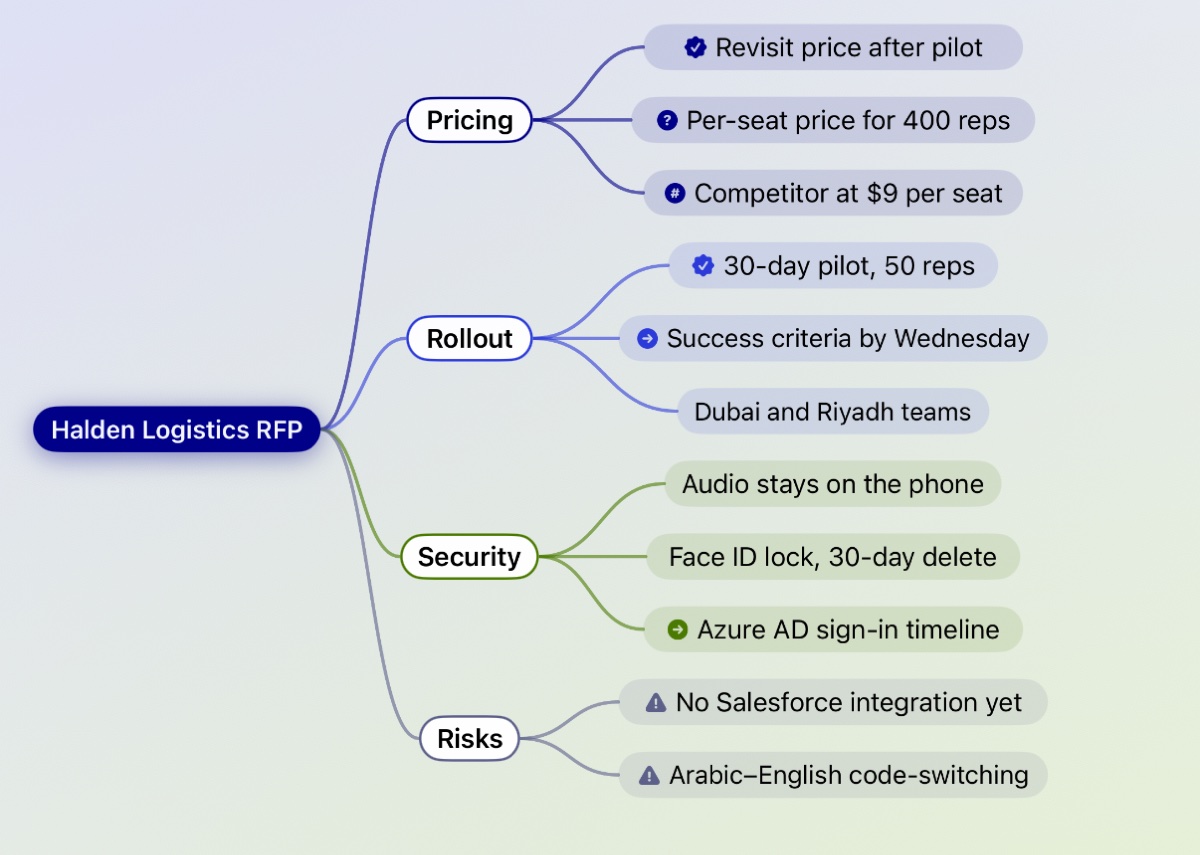
Actions
Everything you promised, in one list.
The Actions tab collects open action items from every meeting, with who and by when. Tick them off as you go.
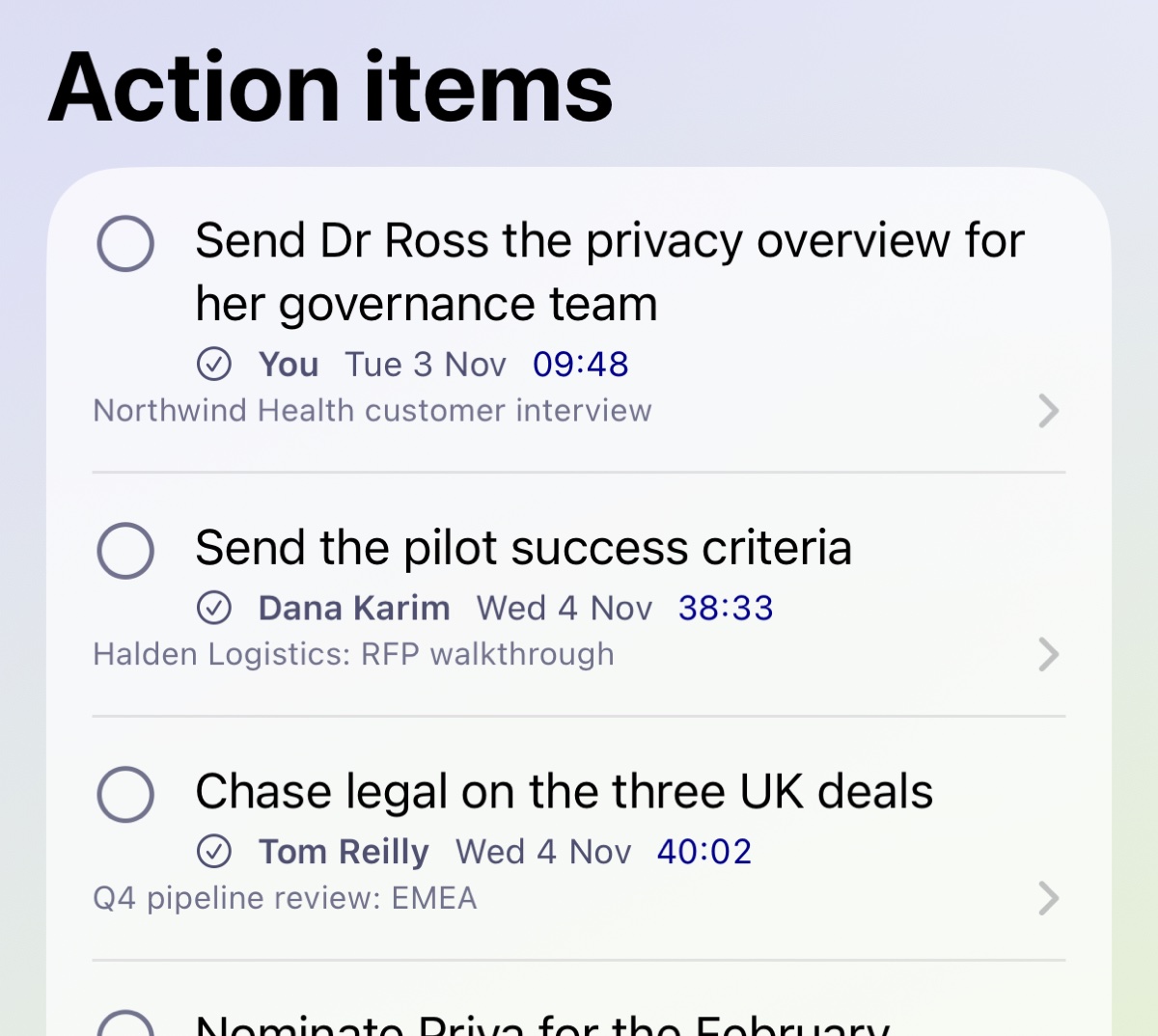
Engagement
How the meeting went, in numbers.
Who did the talking, how much back-and-forth there was, how many questions were asked, and whether anyone held the floor too long. Measured from the transcript, with a few coaching notes.
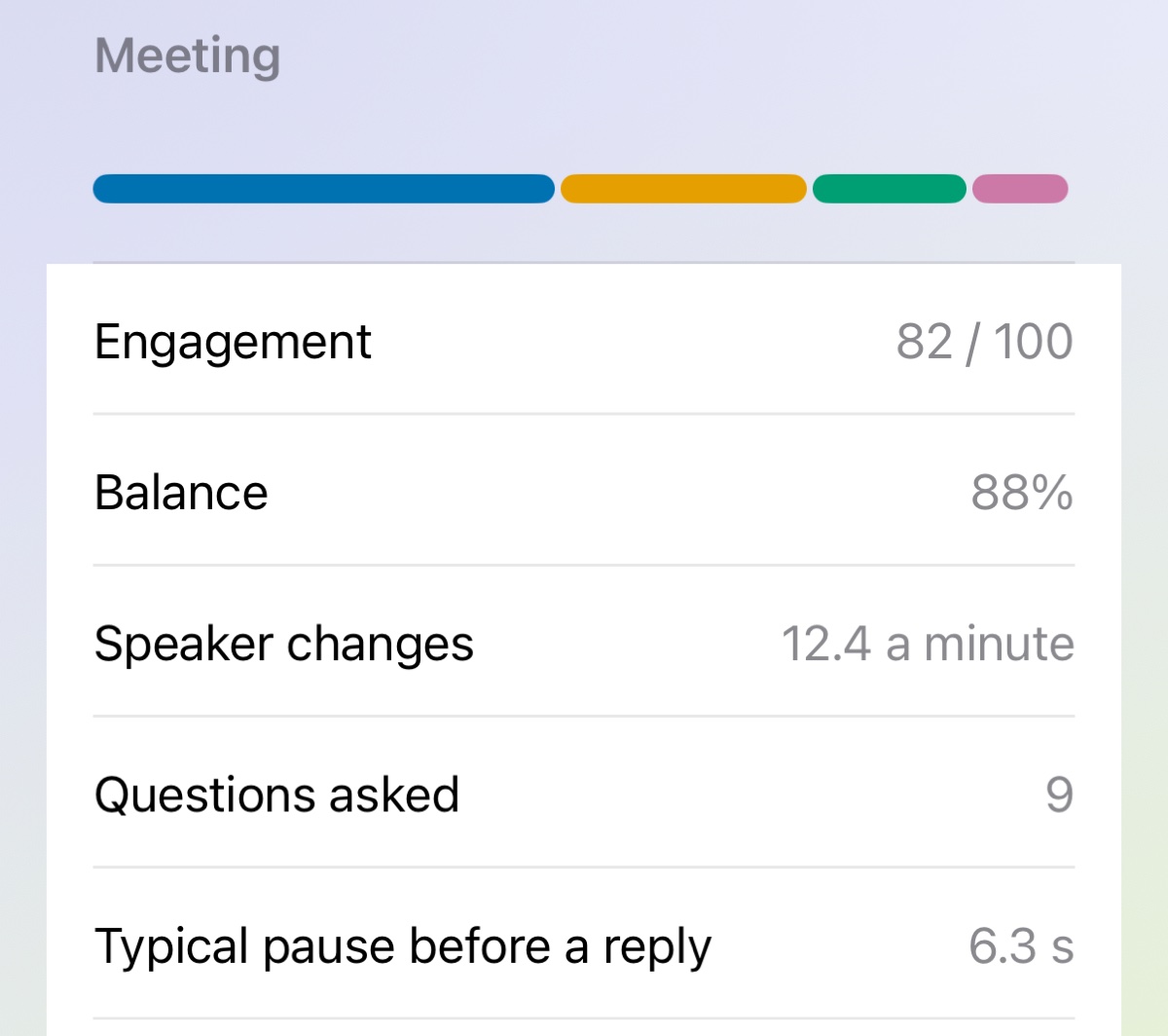
Ask
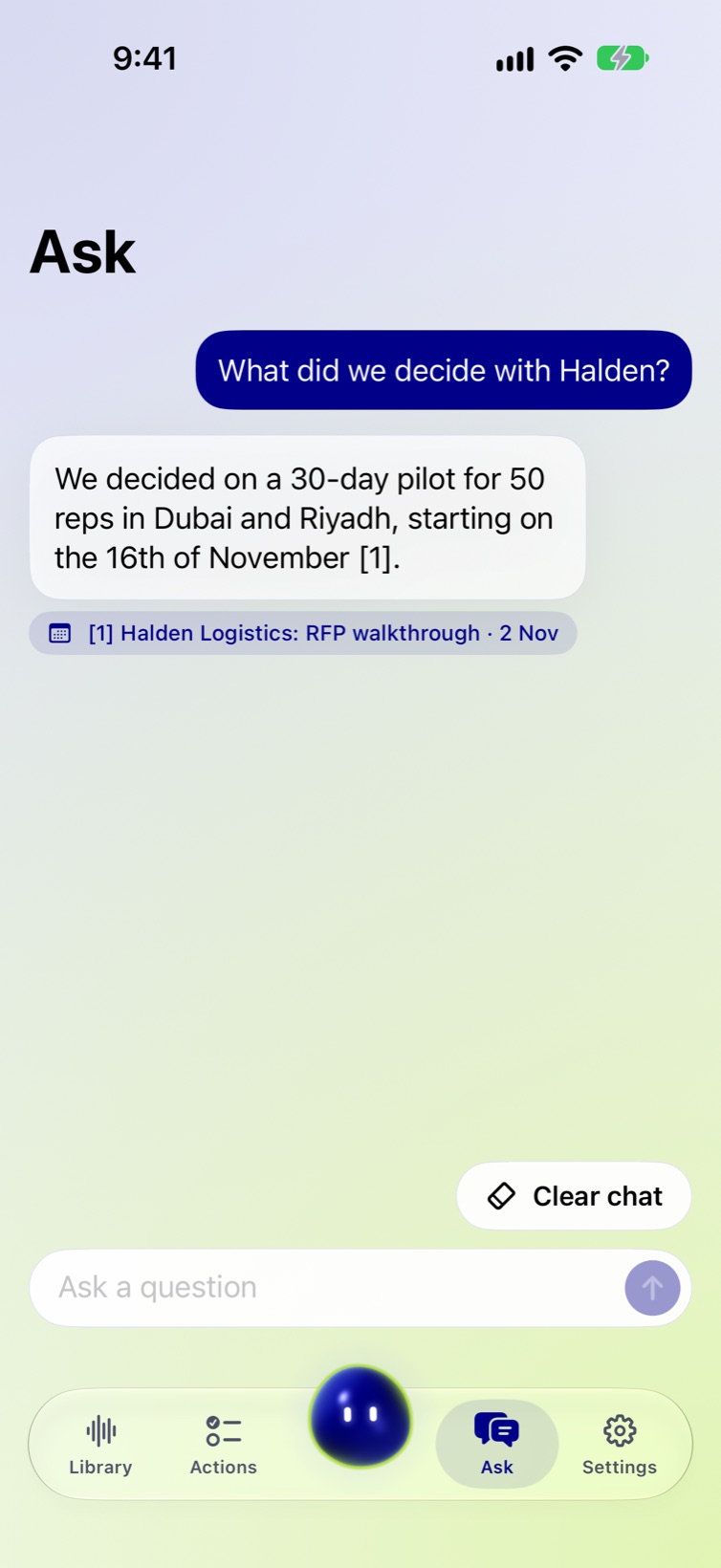
Ask your meetings anything.
Ask across every recording, or just one. Sottora knows each meeting's title, date, length, who spoke and what was decided, so it can answer when something happened as well as what was said. Every answer has a source you can tap to play.
- Dates work“Yesterday”, “last week”, “on Thursday”, “in October”.
- Follow-ups“Who was in it?” carries on from the last answer.
- Honest when it can'tIf nothing mentions it, Ask says so.
Ran on your iPhone
And the rest
The small things that make it yours.
- Export
Markdown, plain text, subtitles (SRT and WebVTT), JSON, and action items as a calendar file.
- Face ID lock
Nobody opens your meetings but you.
- Auto-delete
Recordings can delete themselves after 30 days, 90 days or a year.
- Move your library
Everything to another iPhone or iPad in one file, by AirDrop or Files.
- iPhone Duo and Tent mode
Uses both displays. Stand it on the table and read the timer and Sidekick from across the room.
- Siri and Shortcuts
“Start Sottora”, “Bookmark in Sottora”, “Stop Sottora”.
- Re-transcribe
Run any recording through transcription again.
- Sottora's character
Playful, Calm, or Off for just the orb. Poke it and see.
- Two themes
Vantablue or Standard, each in light and dark.
Privacy
Nobody else is listening. Not even us.
- No account
- There is nothing to sign up for. Open the app and record.
- No server
- Recordings, transcripts and notes are stored on your iPhone and nowhere else.
- Works in airplane mode
- After a one-time download of the speech models, Sottora needs no connection.
- Notes by Apple Intelligence
- Summaries are written on the device. On iPhones without Apple Intelligence, Sottora writes simpler notes itself.1
- Delete means delete
- Deleted recordings wait 30 days in the Recycle Bin, then the audio, transcript and notes are erased.
- Your backup is a file
- Export the whole library to one file and keep it where you like.